

Available on Oxford Smart Activate, Oxford Smart AQA GCSE Sciences, AQA GCSE MFL (2024) courses, Oxford Smart Mosaic, Oxford Smart Quest.
Clicking on the ‘Skills’ tab in the teacher Reports area will display the Teacher Skills report.
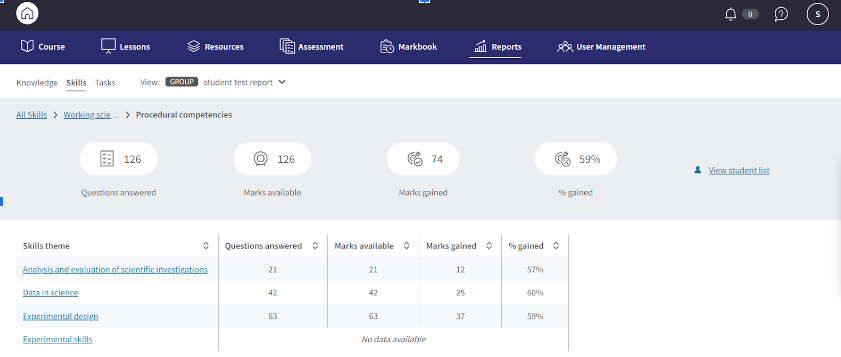
The report will help you to see when your students need to develop or improve on a particular skill. You can choose to view the Skills report by class or focus on individual students and a student list.
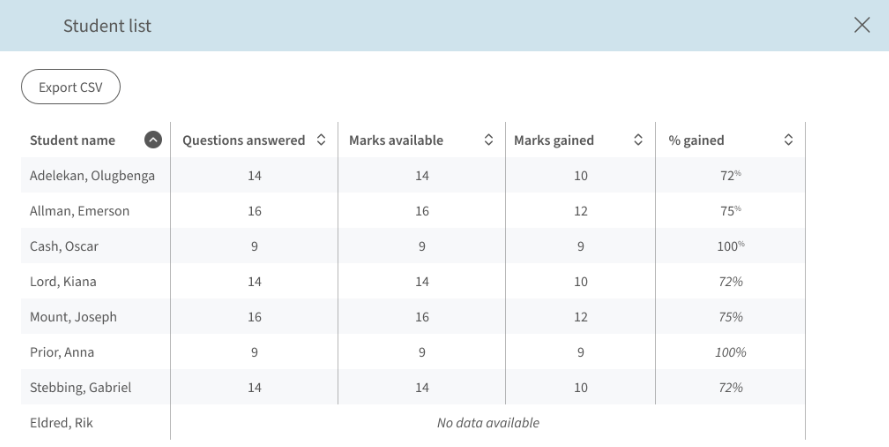
The data:
- Questions answered
- Marks available
- Marks gained
- % gained
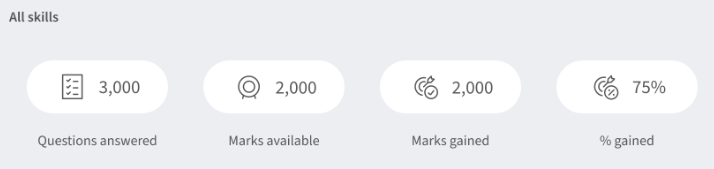
How is the Skills report different to the Knowledge report?
- The DSE is reported on differently. This report shows questions answered, marks available, marks gained and % gained.
- If a student answers a question about a certain piece of knowledge, they can also demonstrate that they can use a skill by answering the same question.